Video Shows How to Use Easy ShutDown Software
Given below Small Video shows How to use the Easy Shutdown Software Utility and displays various options in the Software Utility. You can use the Software to schedule Daily Windows Shutdown, Weekly Computer Shutdown, Shutdown Computer with Shortcut Key Combination, Hibernate Computer, Use Monitor Controller to control Power state of a Windows Computer's Monitor and many other features to explore.
Turn Off Monitor Utility
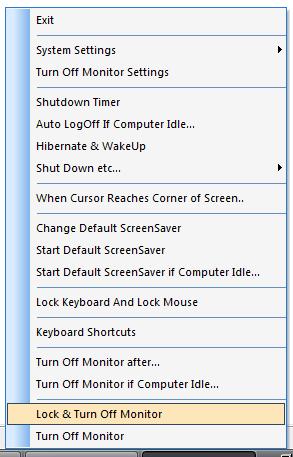
Easy ShutDown Features
- Free to try Windows Utility.
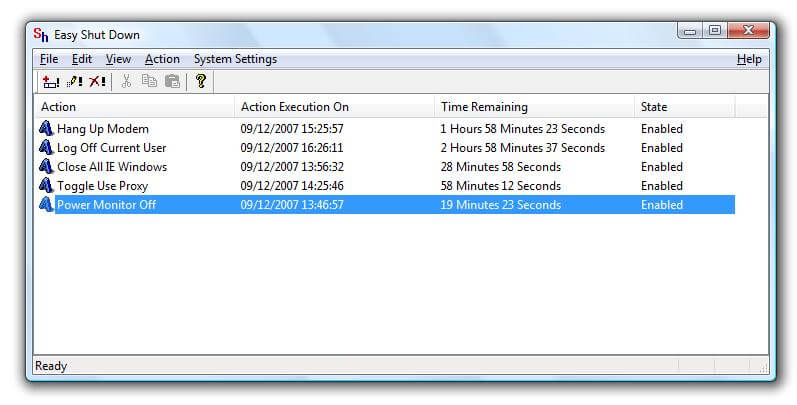
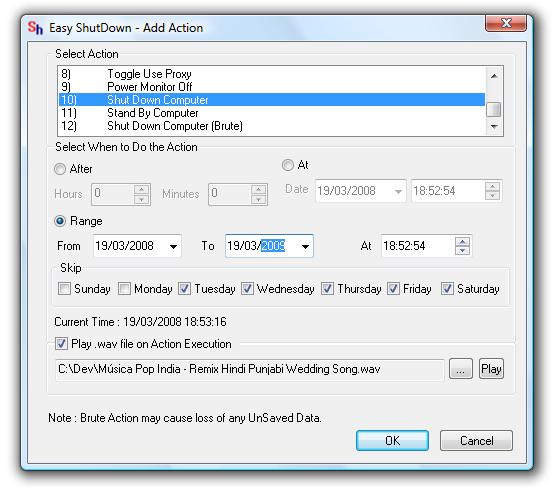
- Schedule Automatic,Daily,Timer Based ShutDown & Other Actions provided in an Easy Way.
- Various Control Panel Apps can be launched easily.(For Vista Operating System Only)
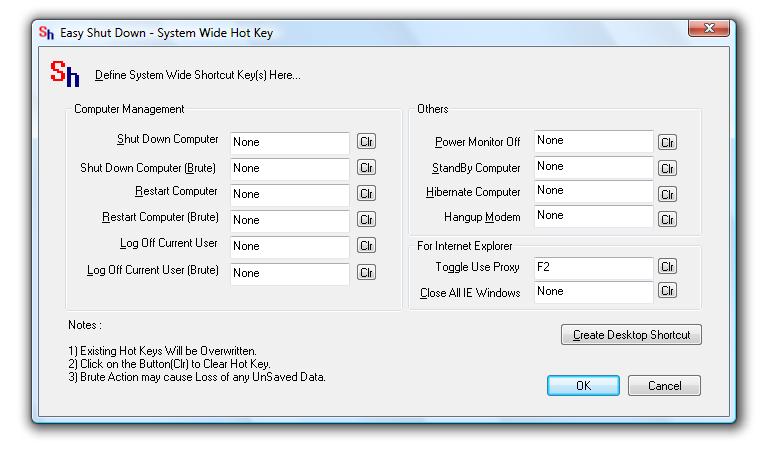
- Power Monitor Off whenever you want & Save Power/Electricity using Keyboard with a Hot Key.
- Log Off using Keyboard with a Hot Key.
- Restart Computer using Keyboard with a Hot Key.
- ShutDown Computer using Keyboard with a Hot Key.
- ShutDown Brute(ie All Unsaved Data will be Lost) Computer using Keyboard with a Hot Key.
- Close All Open Internet Explorer Windows using Keyboard with a Hot Key.
- Toggle Use-Proxy Checkbox Of Internet Explorer using Keyboard with a Hot Key.
- Trial Version Allows to run above features upto 30 times(including all).
- Trial Version Does not have any Naggin Pop-Ups.
- Upgrades for Registered Users at No Extra Cost.
- Registered Users Can send request to get relative feature(s) added(at no extra cost).
Easy ShutDown Main Screen
Easy ShutDown Schedule Action
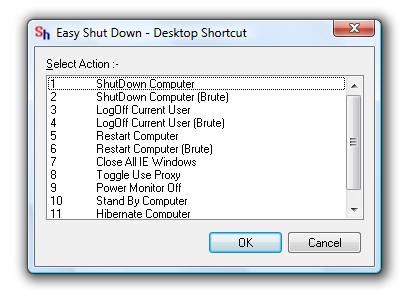
Easy ShutDown Create Desktop Shortcut
Easy ShutDown System Wide Hot Key
Easy Shutdown
Contact Us
For any Sales issues please write to sales@rtsoftwares.com.
For any Other Issues/Concerns,Please write to support@rtsoftwares.com.
You can send us feedback at feedback@rtsoftwares.com.